QR Codes for Retailers
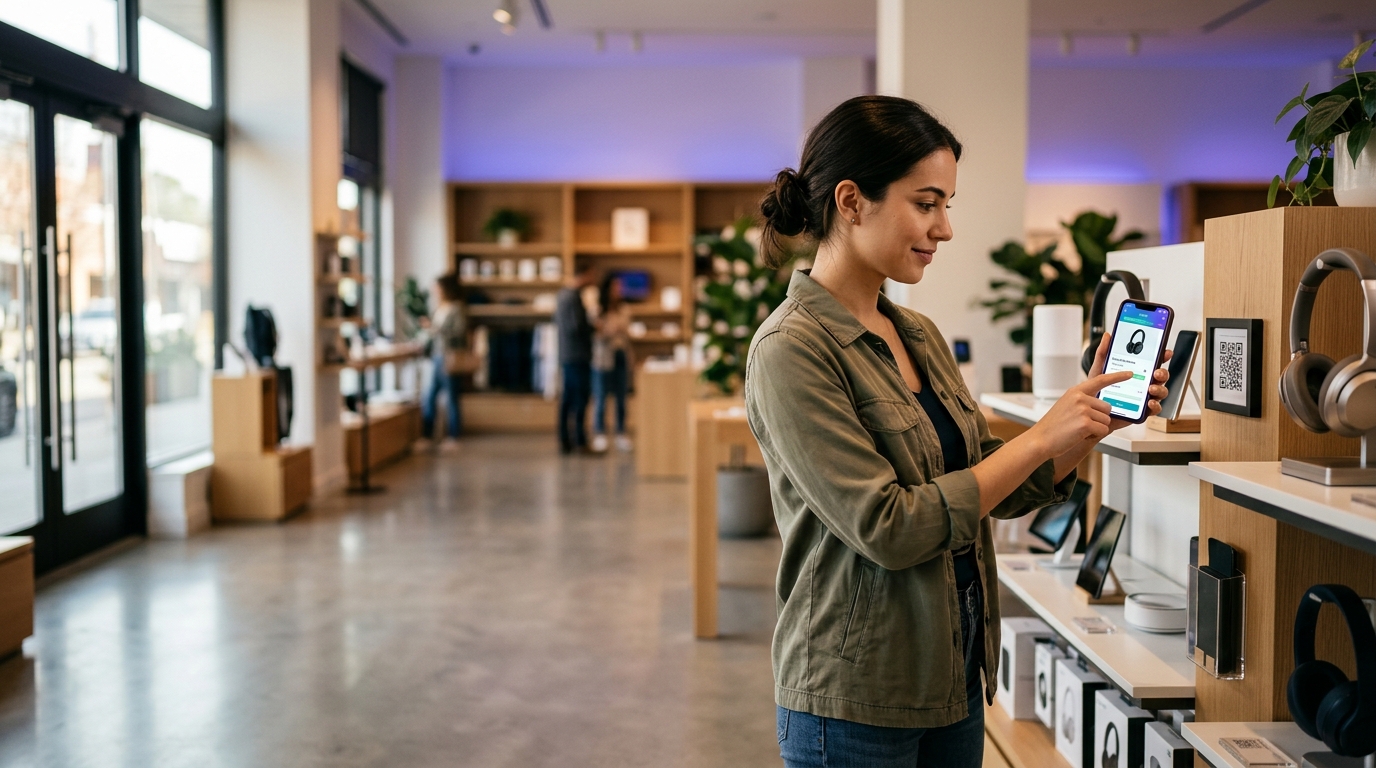
Retailers use QR codes to bridge physical and online shopping. A code on a shelf tag can link to reviews, extended specs, or an online checkout — reducing staff questions and converting browsers into buyers.
Create your free QR code →Free trial · No credit card · Codes never expire
What you can do with QR codes in Retailers
Retailers use QR codes on shelf tags, packaging and receipts to link a physical product to its web page — reviews, size guides, specifications or checkout. One scan bridges the shop floor and the online catalogue.
Every QRecode code is dynamic — you can change where it points at any time without reprinting, and every scan is tracked.
Shelf-edge codes are read standing up, not in the hand
This is the sizing mistake that dominates retail. A shelf-edge label is designed and approved on a desk at reading distance, then installed at knee or shoulder height and scanned by a shopper standing in an aisle roughly 50cm to a metre away, often without bending down.
At a metre the 10:1 rule calls for 10cm, which no shelf strip can accommodate. The workable compromise is to accept that shelf-edge codes are scanned at a genuine arm’s reach of around 40–50cm and size for that: 4–5cm, which a deeper shelf strip or a shelf talker can carry. If the fixture cannot hold a code that size, put it on a shelf talker or the product itself rather than shrinking it to fit.
| Placement | Realistic scan distance | Minimum width |
|---|---|---|
| Shelf talker or wobbler | 40–50cm | 4–5cm |
| Product packaging in hand | 20–30cm | 2–3cm |
| Aisle-end or gondola display | 1–1.5m | 10–15cm |
| Window, read from the street | 1–3m | 10–30cm |
| Till point or counter card | 30–40cm | 3–4cm |
Retail lighting works for you and against you
Shops are brightly and deliberately lit, which is genuinely helpful: cameras resolve fine modules far better in a well-lit aisle than in a dim restaurant.
The catch is that retail lighting is directional and intense, and much retail print is glossy. Overhead spots reflecting off a laminated shelf strip or a gloss-varnished pack produce exactly the highlight that defeats a scanner. Chilled cabinets add a second problem: glass between the camera and the code, often with condensation, and a code behind cabinet glass needs to be larger and higher-contrast than the same code on an open shelf.
- Specify matte laminate on shelf strips and talkers.
- Angle shelf talkers slightly downward so overhead light reflects away from the shopper’s eyeline rather than into it.
- For chilled and frozen fixtures, increase size by around a quarter and use black on white with no brand tint.
- Check the code in situ under the store’s own lighting before rolling out across estate.
What to put behind a retail code, in order of measured value
The destination matters more than the code. Retail scans cluster around a small number of genuine shopper questions, and pointing a code at a generic homepage wastes the scan — a shopper standing in an aisle with a specific question will not navigate to find the answer.
Land the scan on the exact thing the shelf implies: this product’s page, this product’s reviews, this product’s size guide. The single most valuable property of a dynamic code in retail is that this destination can change without replacing a single label — run reviews for a month, switch to a promotion for the campaign, then to a recipe over Christmas, on the same printed strip.
- Reviews and ratings — the most common in-aisle question for considered purchases.
- Size, fit and compatibility guides, which remove the most staff interruptions.
- Full specifications that will not fit on the pack.
- Provenance, allergen or sustainability detail, increasingly expected in food and household.
- Reorder or subscribe, which is strongest on consumables at the point of running out.
A real, working QR code
This code was generated on this page, in your browser. Point your phone camera at it and it opens this guide — every code the generator makes works the same way.
Create yours freeHow to create a QR code
From idea to scannable code in three simple steps.
Create your code
Choose what your code links to — a website, menu, booking page, contact card or more. Customise the colours to match your brand.
Add it to your materials
Download a print-ready PNG or SVG and add it wherever your customers will see it. SVG stays sharp at any size.
Track and update
Watch scans roll in through real-time analytics, and change where your code points any time — no reprinting needed.
Why use dynamic QR codes?
Unlike static QR codes, dynamic codes let you change where they point any time — without reprinting. Track every scan with real-time analytics, customise the design to match your brand, and download in print-ready SVG or PNG.
- Reduce staff time answering repetitive product questions
- Track which products attract the most digital interest
- Connect in-store browsers to your online catalogue
Change where your code points without reprinting.
See every scan, device, and location instantly.
Match your brand colours and add a logo overlay.
Print-ready quality at any size.
UK-hosted, privacy-first scan tracking.
Your printed materials work forever.
Dynamic vs static QR codes
Not sure which to use? Here's how they compare.
Practical tips
Approved at desk distance, scanned from 40–50cm in an aisle. Size for 4–5cm, not 2cm.
It reflects overhead spotlights away from the shopper's eyeline rather than into it.
A shopper with a specific question will not navigate from a homepage to find the answer.