QR Codes for Restaurants & Cafés
Restaurants and cafés using dynamic QR codes cut printing costs by 80% and update their menus in seconds — not days. From contactless ordering to loyalty programmes, a single scan opens up a richer customer experience.
Create your free QR code →Free trial · No credit card · Codes never expire
What you can do with QR codes in Restaurants and Cafés
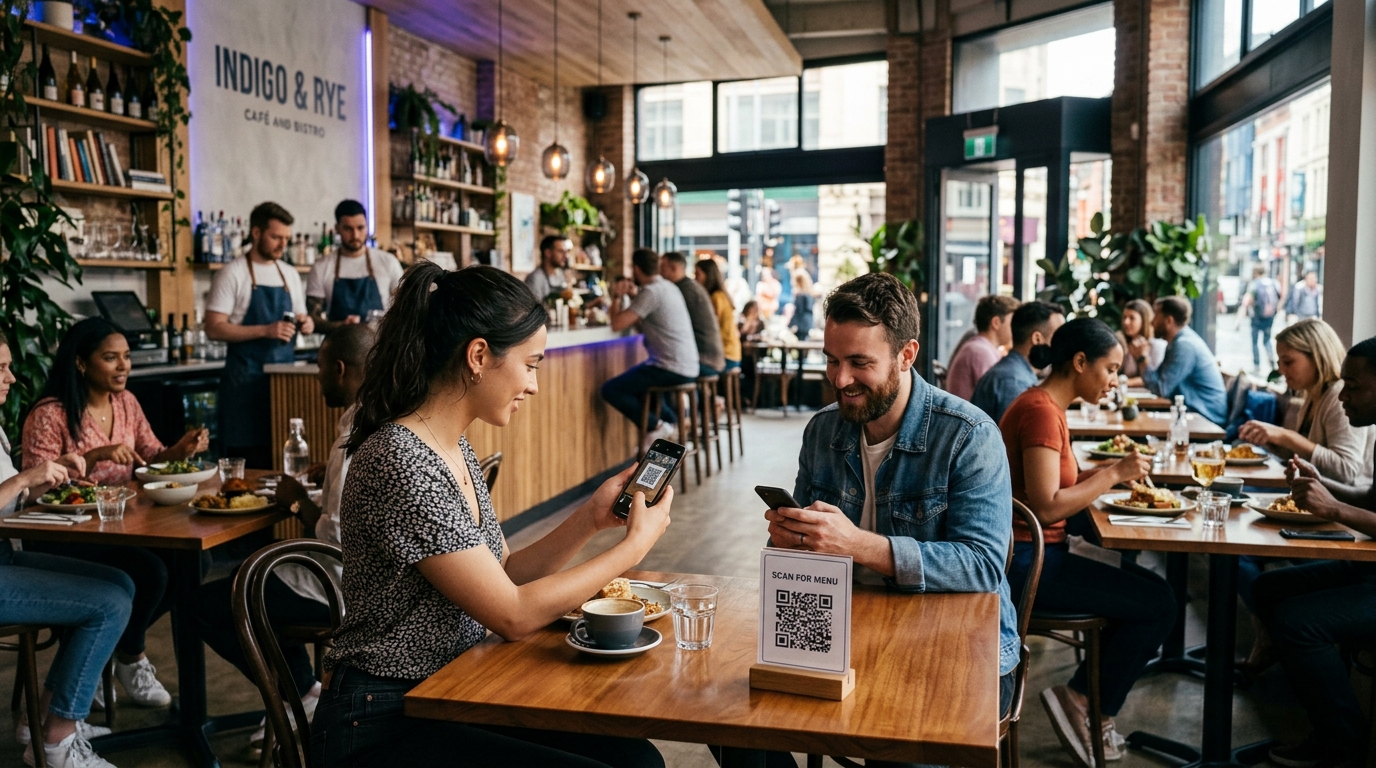
Restaurants and cafés use QR codes mainly to replace printed menus. A code on the table opens a digital menu, an ordering page or a review link — and because the code is dynamic, prices and dishes can be changed without reprinting anything.
Every QRecode code is dynamic — you can change where it points at any time without reprinting, and every scan is tracked.
What size to print a QR code on a table or menu
The standard guidance is the 10:1 rule: a QR code should be at least one tenth as wide as the distance it will be scanned from. A seated guest holds their phone roughly 20–40cm from a table tent or menu, which puts the minimum at 2–4cm.
In practice, print at 3cm or larger. Restaurant lighting is usually dimmer than an office, and dim light makes a camera work harder to resolve the small squares that make up the code. Adding 20–30% over the calculated minimum costs almost no space on the page and removes most scanning complaints.
| Where the code goes | Typical scan distance | Minimum width | Recommended |
|---|---|---|---|
| Table tent or menu corner | 20–40cm | 2–4cm | 3–5cm |
| Wall-mounted menu board | 1–2m | 10–20cm | 15–25cm |
| Window, scanned from outside | 1–3m | 10–30cm | 20–30cm |
| A-board on the pavement | 1–2m | 10–20cm | 15–25cm |
Printing and lamination for menus
Two things sink more restaurant QR codes than size: gloss lamination and a missing quiet zone.
Gloss laminate reflects overhead lighting straight back into the camera, which washes out the pattern from exactly the angle a seated guest holds their phone. Matte laminate solves it and costs the same. The quiet zone is the clear margin around the code — it needs to be at least four modules wide, roughly 8–10mm on a table-sized code. Crowding it with a border or a dish name is the single most common reason a printed code refuses to scan.
- Use matte lamination, never gloss, on anything a seated guest will scan.
- Keep a clear margin of at least 8–10mm on all four sides of the code.
- Print from vector (SVG or PDF) at 300 DPI or higher — never from a JPEG, which introduces compression artefacts around the module edges.
- Keep the code square and upright. Rotating or skewing it breaks the three finder squares a camera uses to locate the pattern.
- Black on white is the most reliable combination. If you use brand colours, keep a contrast ratio of at least 4.5:1, dark pattern on light background — never the reverse.
- Avoid folds, seams and the gutter of a folded menu, where the print distorts.
Why dynamic codes matter more in hospitality than most sectors
Menus change constantly — seasonal dishes, supplier price rises, a supplier who stops delivering. A static QR code has the destination encoded into the pattern itself, so every change means reprinting and re-laminating every table.
A dynamic code encodes a short redirect instead, so the printed code never changes while the menu behind it can be edited as often as you like. That shorter link is also a practical benefit at table sizes: fewer characters means fewer modules, so a dynamic code stays readable at a smaller print size than a static one carrying a long URL.
It also means one code can do different jobs at different times — brunch menu until midday, dinner menu after five, a review request during the last week of the month — without anyone touching the printed material.
Testing before a print run
Test the proof at its final printed size, in the room where it will be used, under the lighting that room actually has. A code that scans perfectly on a bright monitor can fail on a dim corner table.
Use three to five different phones including an older handset with a lower-resolution camera, and scan from a seated position rather than leaning over the table. If any phone hesitates, increase the size before committing to a full run.
A real, working QR code
This code was generated on this page, in your browser. Point your phone camera at it and it opens this guide — every code the generator makes works the same way.
Create yours freeHow to create a QR code
From idea to scannable code in three simple steps.
Create your code
Choose what your code links to — a website, menu, booking page, contact card or more. Customise the colours to match your brand.
Add it to your materials
Download a print-ready PNG or SVG and add it wherever your customers will see it. SVG stays sharp at any size.
Track and update
Watch scans roll in through real-time analytics, and change where your code points any time — no reprinting needed.
Why use dynamic QR codes?
Unlike static QR codes, dynamic codes let you change where they point any time — without reprinting. Track every scan with real-time analytics, customise the design to match your brand, and download in print-ready SVG or PNG.
- Zero reprinting costs when prices or dishes change
- Contactless experience guests actually prefer
- Track which tables scan most and at what time
Change where your code points without reprinting.
See every scan, device, and location instantly.
Match your brand colours and add a logo overlay.
Print-ready quality at any size.
UK-hosted, privacy-first scan tracking.
Your printed materials work forever.
Dynamic vs static QR codes
Not sure which to use? Here's how they compare.
Practical tips
Bottom-right of a laminated menu or the front face of a table tent. Guests hold menus the same way; design for that rather than for the layout grid.
Overhead restaurant lighting reflects off gloss at exactly the angle a seated guest holds their phone. Matte costs the same.
A dynamic code can serve brunch until midday and dinner after five, from the same printed card.