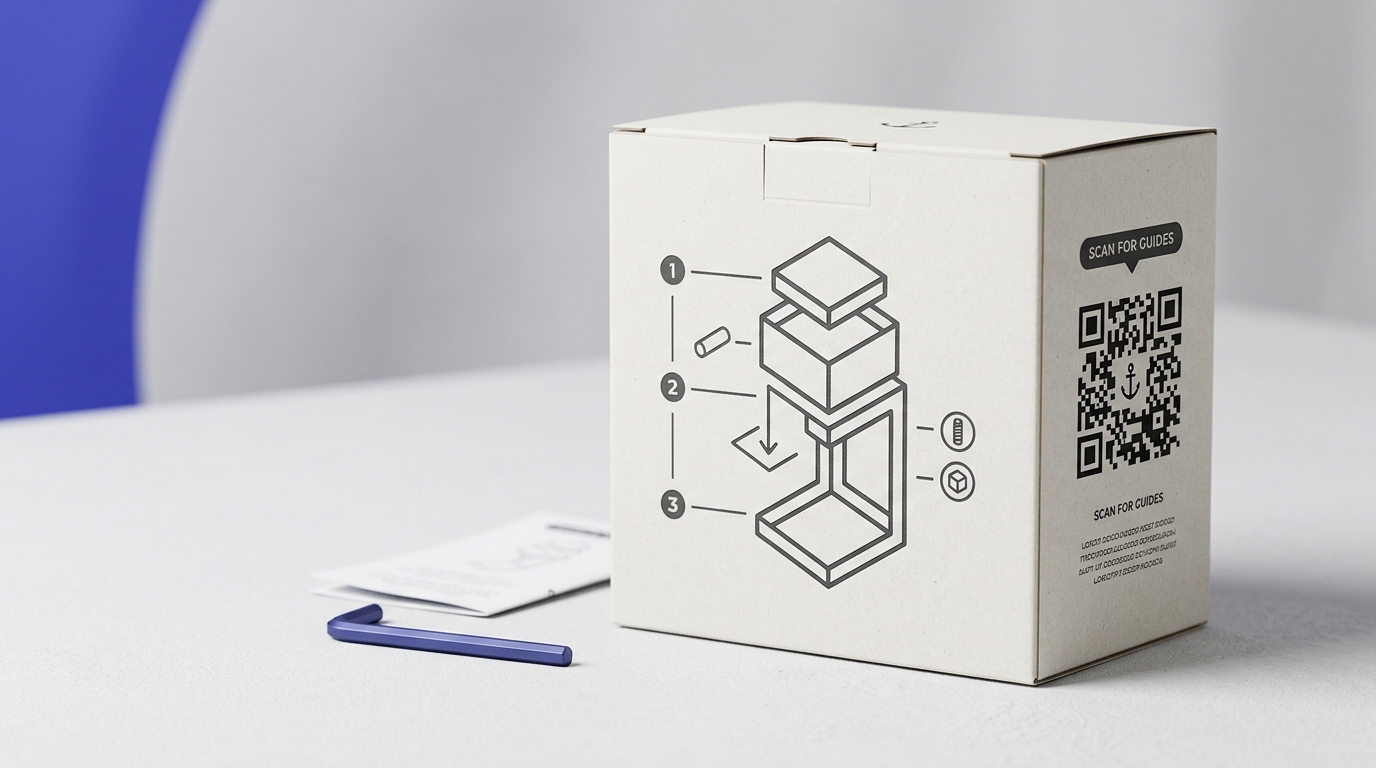
QR Codes on Product Packaging
A QR code on packaging gives brands a direct channel to customers after purchase — without relying on third-party platforms. From setup videos to loyalty schemes, the packaging becomes a digital touchpoint.
Create your free QR code →Free trial · No credit card · Codes never expire
Ways to use QR codes on Product Packaging
A QR code on packaging links the product to how-to videos, registration, reordering or ingredient information. Because the destination is dynamic, you can change what the code opens long after the packaging has been printed.
Every QRecode code is dynamic — you can change where it points at any time without reprinting, and every scan is tracked.
Curved surfaces need a bigger code than flat ones
A bottle, can, tube or jar bends the pattern away from the camera at the edges. The modules nearest the curve compress from any angle other than dead centre, and the finder patterns — the three squares a scanner uses to locate the code — distort first.
The practical correction is to increase the code by around a quarter over what a flat surface would need, and to keep it within the flattest band of the pack. On a cylindrical container, the code should occupy no more than about a third of the visible curve; wrapping it further round the body means part of the pattern is always turned away.
- Add roughly 25% to the size you would use on a flat pack.
- Position the code on the flattest available area, away from the shoulder and base curves.
- Keep it clear of seams, crimps, glue lines and the label overlap.
- On shrink sleeves, allow for the distortion the sleeve undergoes when heated — the artwork must be pre-distorted so the code is square once shrunk.
Substrate and print process change the minimum size
Packaging is printed by more processes than any other format, and they do not hold fine detail equally.
Litho and digital printing on coated board hold modules cleanly and let you work near the minimum. Flexographic printing on corrugated is the other extreme: the surface is absorbent and ribbed, ink spreads, and fine modules bleed into each other. Codes on corrugated commonly need to be half again as large as the same code on a carton. Direct thermal and inkjet coding onto film sit in between and depend heavily on line speed.
Whatever the process, ask for a printed proof from the actual production run rather than a digital mock-up. Ink spread is invisible on screen and is the single most common cause of a code that scanned in artwork and fails on the shelf.
| Substrate and process | Practical minimum | Notes |
|---|---|---|
| Coated carton, litho or digital | 2cm | Holds detail well |
| Flexible film, gravure or flexo | 2.5cm | Watch for stretch and slack |
| Corrugated, flexo | 3cm | Ink spread; ribbing distorts modules |
| Shrink sleeve | 2.5cm+ | Pre-distort artwork for the shrink |
| Direct laser or inkjet coding | 2.5cm | Depends on line speed and contrast |
Finishes that defeat a scanner
Packaging finishes are designed to catch the light, which is precisely the problem.
High-gloss varnish and lamination produce a specular highlight across the code under retail lighting, which is bright and directional. Metallic foil and mirror-finish substrates are worse: they can reflect enough light to blow out the camera’s exposure entirely. If the pack design calls for a gloss or foil treatment, have the varnish knocked out over the code area and place the code on a matte white panel. The panel also guarantees the contrast ratio, which should be at least 4.5:1 with a dark pattern on a light ground.
Sunrise 2027 and what it does and does not mean for your code
If you sell through retail, you will be hearing about GS1 Sunrise 2027. It is a global initiative under which retail point-of-sale systems are expected to be able to scan 2D barcodes — QR codes carrying a GS1 Digital Link, or GS1 DataMatrix — by the end of 2027, alongside the traditional EAN and UPC barcodes they have read since the 1970s.
Two things are widely misunderstood. First, the existing barcode is not being abolished: the two coexist, dual-marking is recommended during the transition, and from 2028 manufacturers can choose which to carry. Second, and more relevant here, not every QR code is a GS1 code. A GS1 Digital Link code encodes your GTIN in a specific structured URL so a till can extract product data from it. An ordinary marketing QR code — including the ones QRecode generates — carries whatever URL you give it and is meant for the shopper’s phone, not the checkout.
That distinction is worth being clear about before committing artwork. If you need a code that scans at the till, that is a GS1 Digital Link project and starts with your GS1 member organisation. If you want a code that takes a shopper to product information, provenance, recycling guidance, reordering or a warranty registration, a dynamic QR code does that job today and lets you change the destination for the life of the pack — which, given packaging is printed in runs of hundreds of thousands, is the whole argument for making it dynamic.
A real, working QR code
This code was generated on this page, in your browser. Point your phone camera at it and it opens this guide — every code the generator makes works the same way.
Create yours freeHow to create a QR code
From idea to scannable code in three simple steps.
Create your code
Choose what your code links to — a website, menu, booking page, contact card or more. Customise the colours to match your brand.
Place it on your product packaging
Download a print-ready PNG or SVG and add it wherever your customers will see it. SVG stays sharp at any size.
Track and update
Watch scans roll in through real-time analytics, and change where your code points any time — no reprinting needed.
Why use dynamic QR codes?
Unlike static QR codes, dynamic codes let you change where they point any time — without reprinting. Track every scan with real-time analytics, customise the design to match your brand, and download in print-ready SVG or PNG.
- Reduce in-box printing costs with digital instruction links
- Engage customers at the most receptive moment — unboxing
- Change linked content between product batches
Change where your code points without reprinting.
See every scan, device, and location instantly.
Match your brand colours and add a logo overlay.
Print-ready quality at any size.
UK-hosted, privacy-first scan tracking.
Your printed materials work forever.
Dynamic vs static QR codes
Not sure which to use? Here's how they compare.
Practical tips
Bottles, cans and tubes bend the pattern away from the camera. Keep the code within the flattest band.
Ink spread on corrugated is invisible in artwork and is the commonest cause of a code that worked on screen and fails on the shelf.
Gloss and foil finishes reflect retail lighting straight into the camera.