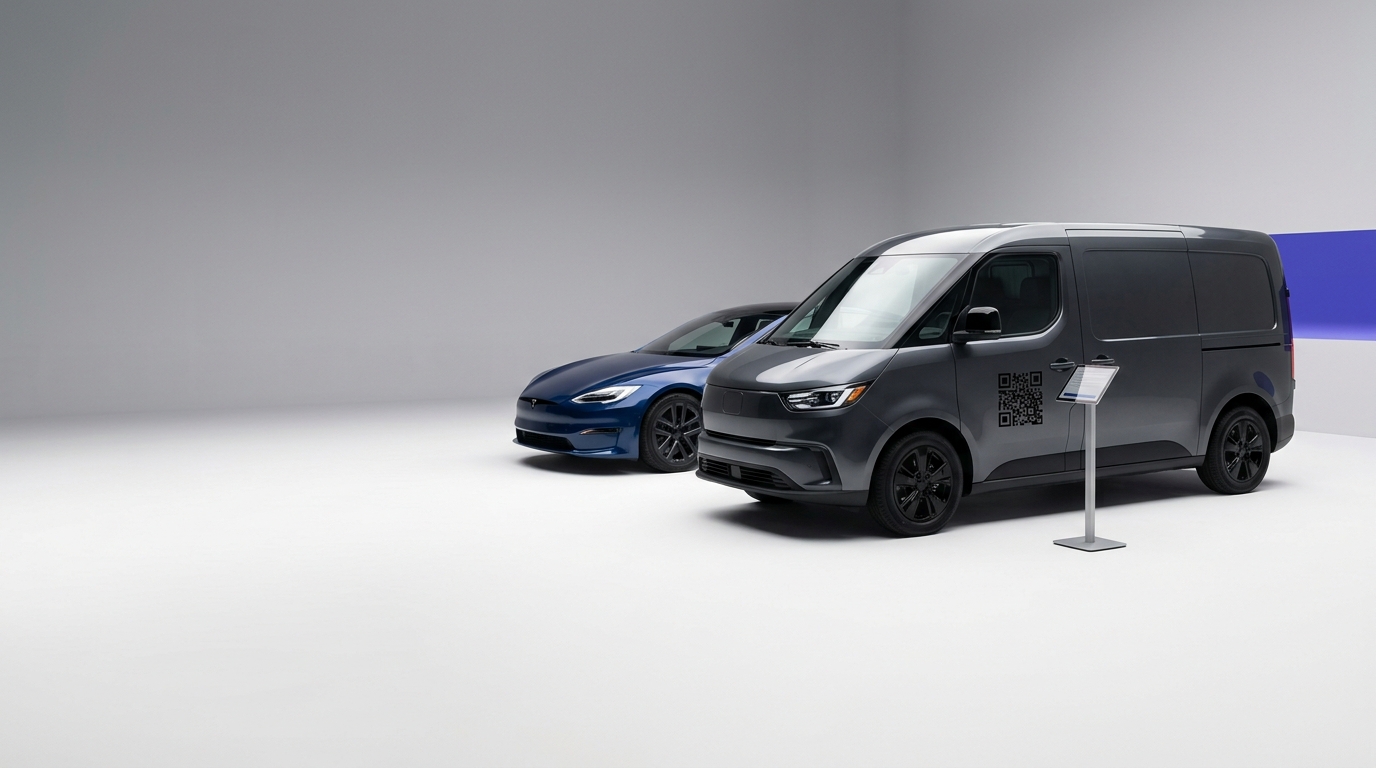
QR Codes on Vehicles & Fleet
A QR code on a van or company vehicle turns heads into leads. Every person who sees your vehicle on the road or parked is a potential customer — a scan gets them to your quote form or website instantly.
Create your free QR code →Free trial · No credit card · Codes never expire
Ways to use QR codes on Vehicles and Fleet
The most common uses are:
Every QRecode code is dynamic — you can change where it points at any time without reprinting, and every scan is tracked.
Codes on a moving surface: why vehicle codes must be huge
Vehicle graphics are the hardest place to put a working QR code, and most vehicle codes are decorative rather than functional.
A parked van read from 2–3 metres needs 20–30cm under the 10:1 rule. A moving vehicle is effectively unscannable regardless of size, because the phone needs a steady frame to lock the pattern. Be honest about which case you are designing for: a code on the rear of a van in traffic will be scanned at the lights or not at all, and even then only if it is very large and very high-contrast.
| Vehicle placement | Realistic read | Minimum code | Honest verdict |
|---|---|---|---|
| Parked van side panel | 2–3m | 20–30cm | Works well |
| Rear door, stationary in traffic | 3–5m | 30–50cm | Works if large |
| Rear door, moving | — | — | Do not rely on it |
| Fleet livery, close inspection | 1–2m | 10–20cm | Works |
| Trailer or HGV curtain | 4–8m | 40–80cm | Only at genuine scale |
Vinyl wrap, panel lines and curvature
Vehicle bodywork is neither flat nor uninterrupted, which creates problems no other format has.
Place the code on the flattest available panel and keep it entirely clear of door shuts, handles, wheel arches, body creases and rivets — a pattern broken by a panel gap will not read. Wraps also stretch as they are applied over compound curves, which distorts the code; the applied result is what matters, not the artwork, so check a wrapped vehicle rather than a proof.
Gloss wrap is the default finish and the worst for scanning, since a vehicle is usually outdoors in direct sun. Matte laminate over the code area solves it.
- Flat panels only — avoid creases, shuts, handles and arches.
- Matte finish over the code area, even on a gloss wrap.
- Check the code on an actually-wrapped vehicle, not on the artwork.
- Mount at roughly 1.2–1.5m from the ground so it is at standing eye level.
- Include a short URL alongside the code — drivers and passers-by often cannot scan but can remember.
What a vehicle code should link to
Vehicle scans are almost always from someone who has seen the van and wants to know whether you can do a job for them. Send them somewhere that answers that immediately.
A quote request form, a service area page, or a booking calendar all convert better than a homepage. And because the code is dynamic, a fleet can be repointed seasonally — boiler servicing in autumn, emergency callouts in winter — without re-wrapping a single vehicle.
Fleet codes and per-vehicle attribution
A fleet is an advertising network you already own, and giving each vehicle its own code turns it into a measurable one.
The same artwork with a different dynamic code per vehicle tells you which vans, which routes and which depots actually generate enquiries. For a business running twenty vehicles across a region, that is genuinely useful data and it costs nothing beyond generating twenty codes instead of one.
It also solves a practical problem: when a vehicle is sold, re-liveried or leaves the fleet, you can retire or repoint that specific code without touching the rest. With a single shared code, a vehicle that leaves the business is still carrying a live link to you, which is not always what you want.
- One dynamic code per vehicle, same artwork.
- Compare scans by vehicle, route and depot.
- Retire or repoint a code when a vehicle leaves the fleet.
- Seasonal repointing — servicing in autumn, callouts in winter — with no re-wrap.
- Keep a record of which code is on which vehicle, or the data is unusable.
A real, working QR code
This code was generated on this page, in your browser. Point your phone camera at it and it opens this guide — every code the generator makes works the same way.
Create yours freeHow to create a QR code
From idea to scannable code in three simple steps.
Create your code
Choose what your code links to — a website, menu, booking page, contact card or more. Customise the colours to match your brand.
Place it on your vehicles & fleet
Download a print-ready PNG or SVG and add it wherever your customers will see it. SVG stays sharp at any size.
Track and update
Watch scans roll in through real-time analytics, and change where your code points any time — no reprinting needed.
Why use dynamic QR codes?
Unlike static QR codes, dynamic codes let you change where they point any time — without reprinting. Track every scan with real-time analytics, customise the design to match your brand, and download in print-ready SVG or PNG.
- Turn passive vehicle branding into active lead generation
- Track how many people enquire from vehicle advertising
- Get a Google review request from every job site drive-by
Change where your code points without reprinting.
See every scan, device, and location instantly.
Match your brand colours and add a logo overlay.
Print-ready quality at any size.
UK-hosted, privacy-first scan tracking.
Your printed materials work forever.
Dynamic vs static QR codes
Not sure which to use? Here's how they compare.
Practical tips
Keep clear of door shuts, handles, wheel arches and body creases. A pattern broken by a panel gap will not read.
Vinyl stretches over compound curves, and the applied result is what people scan.
Most people seeing a van cannot safely scan. A memorable address does the work the code cannot.