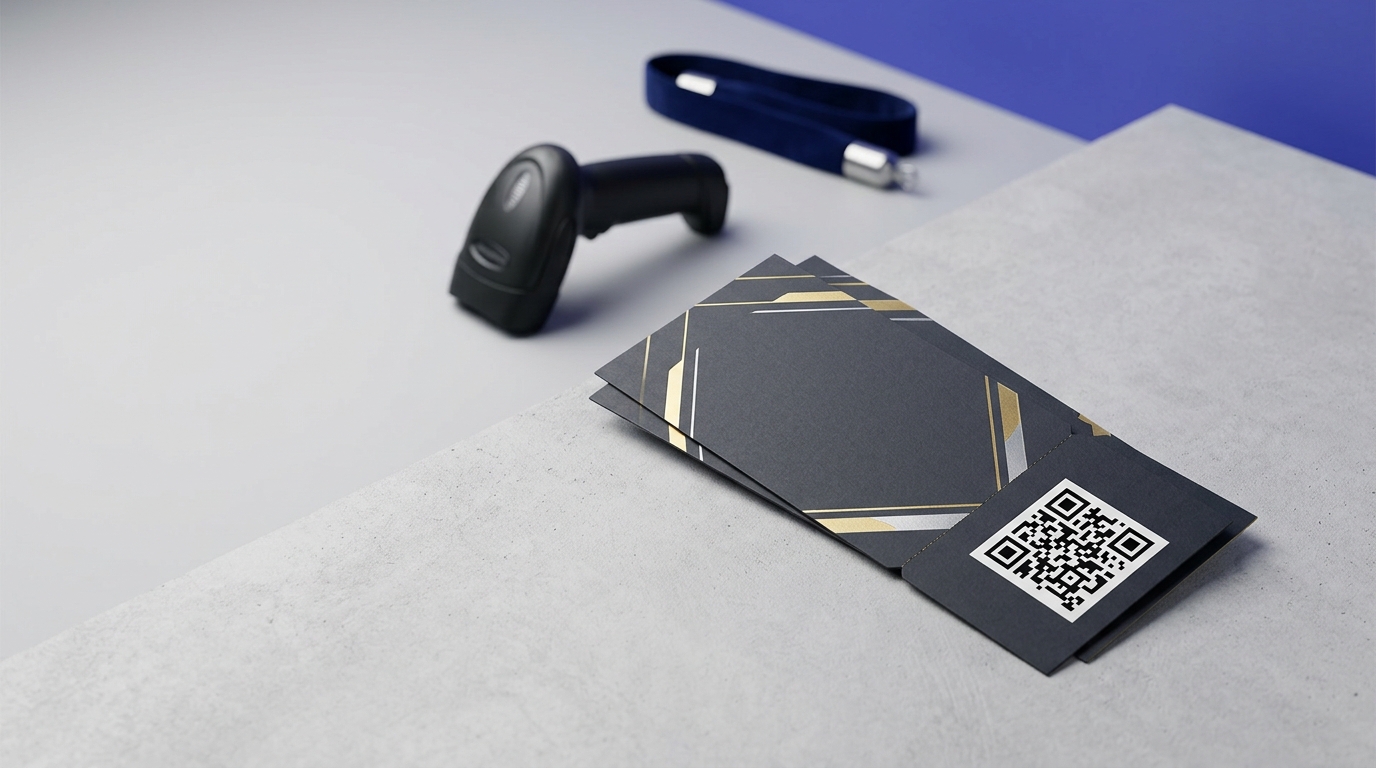
QR Codes on Event Tickets
QR codes on event tickets replace manual checking and paper lists with instant scan-to-verify entry. Each code is unique, fraud-resistant, and gives you real-time attendance data as guests arrive.
Create your free QR code →Free trial · No credit card · Codes never expire
Ways to use QR codes on Event Tickets
A QR code turns a ticket into something a scanner can validate in a fraction of a second, whether it is printed at home, issued on thermal stock at a box office, or held on a phone. The three formats behave very differently in practice, and a ticket design that works for one often fails on another.
Every QRecode code is dynamic — you can change where it points at any time without reprinting, and every scan is tracked.
The three ticket formats, and why one design will not serve all three
Most events issue tickets in more than one format, and the code has to survive all of them.
Print-at-home is the least controlled: an A4 sheet through a domestic inkjet or laser printer of unknown age, often low on toner, then folded into quarters and carried in a pocket. Thermal box-office stock is narrow, coated, and fades with heat and sunlight, but prints consistently. Mobile is a screen, which is a different problem again.
Design for the worst of the three. A code sized and placed to survive a folded, low-toner home print will be comfortable on thermal stock and on a screen; the reverse is not true.
- Size for print-at-home first — 3cm minimum, not 2cm.
- Use High (H) error correction so a creased or partly faded code still resolves.
- Print from vector or a 300 DPI image, never a screenshot of a code.
- Test on a genuinely old printer, not the office laser.
- Avoid background tints and watermarks behind the code — they cost you contrast that a tired printer has already reduced.
Where the code goes on the ticket
The physical layout of a ticket works against the code more than most formats, because tickets are designed to be torn, folded and stuffed into pockets.
Keep the code well clear of any perforation or tear line. A code split across a stub is unreadable once the stub is removed, and it is a surprisingly common mistake because the artwork looks fine flat. On print-at-home tickets, avoid the natural fold lines of an A4 sheet — folded in quarters, the creases run through the centre horizontally and vertically, which is exactly where designers like to put things.
The safest position on an A4 print-at-home ticket is the upper-left quadrant, well inside the margins, where no fold crosses it and no printer clips it.
What the ticket code can do besides let people in
A ticket is the one piece of print an attendee reliably keeps, looks at more than once, and often looks at again on the day. That makes it more valuable than a single-use entry token.
Because a dynamic code can be repointed, the same printed ticket can open different things as the event approaches: travel and parking information in the week before, the running order on the day, and a feedback form or photo gallery afterwards. None of that requires reissuing anything.
The practical caution is to keep entry validation on a separate code from the informational one where you can. Mixing them means a change to the information flow risks the thing that actually gets people through the door.
- Before the event — travel, parking, what to bring, timings.
- On the day — running order, stage times, venue map, food and bar.
- After — feedback form, photo gallery, next event on sale.
- Keep entry validation on its own code, separate from information.
A real, working QR code
This code was generated on this page, in your browser. Point your phone camera at it and it opens this guide — every code the generator makes works the same way.
Create yours freeHow to create a QR code
From idea to scannable code in three simple steps.
Create your code
Choose what your code links to — a website, menu, booking page, contact card or more. Customise the colours to match your brand.
Place it on your event tickets
Download a print-ready PNG or SVG and add it wherever your customers will see it. SVG stays sharp at any size.
Track and update
Watch scans roll in through real-time analytics, and change where your code points any time — no reprinting needed.
Why use dynamic QR codes?
Unlike static QR codes, dynamic codes let you change where they point any time — without reprinting. Track every scan with real-time analytics, customise the design to match your brand, and download in print-ready SVG or PNG.
- Instant verification reduces entry queue time significantly
- Unique codes prevent ticket fraud and sharing
- Real-time attendance tracking as guests arrive
Change where your code points without reprinting.
See every scan, device, and location instantly.
Match your brand colours and add a logo overlay.
Print-ready quality at any size.
UK-hosted, privacy-first scan tracking.
Your printed materials work forever.
Dynamic vs static QR codes
Not sure which to use? Here's how they compare.
Practical tips
Low toner, streaking and grey-instead-of-black are normal on print-at-home tickets. High error correction and a larger code absorb it.
A code split by a tear line dies when the stub comes off, and A4 quarter-folds run straight through the middle of the sheet.
When a code will not scan at a busy gate, a human-readable booking reference is the fallback that keeps the queue moving.