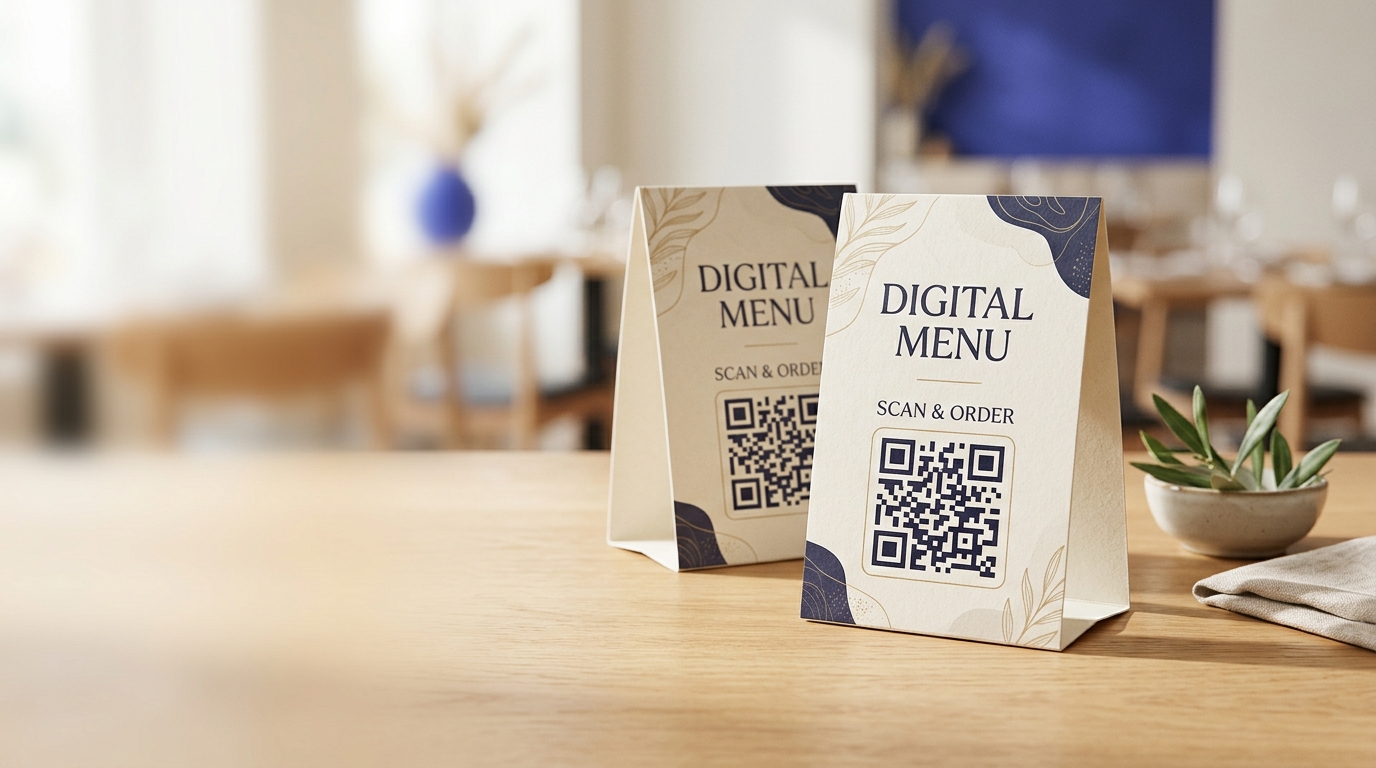
QR Codes on Table Tents
Table tents with QR codes give hospitality venues a always-on way to promote offers, collect reviews, and upsell — sitting right in front of customers at the most receptive moment of their visit.
Create your free QR code →Free trial · No credit card · Codes never expire
Ways to use QR codes on Table Tents
The most common uses are:
Every QRecode code is dynamic — you can change where it points at any time without reprinting, and every scan is tracked.
Sizing for a seated diner
A table tent is read by someone sitting down, roughly 30–50cm away, often across a table rather than directly in front. That gives a 3–5cm code — and the upper end is worth taking, because restaurant and bar lighting is dimmer than the office where the artwork was approved.
The other consideration is that a table tent is usually two-sided, and diners sit on both sides. Put the code on both faces, or accept that half your table cannot reach it without picking the card up.
| Table tent size | Read from | Code size | Notes |
|---|---|---|---|
| A6 tent (105 × 148mm) | 30–40cm | 3–4cm | Standard cafe size |
| A5 tent (148 × 210mm) | 30–50cm | 4–5cm | Comfortable, most common |
| A7 / small bar tent | 25–35cm | 2.5–3cm | Tight — keep the label short |
| Acrylic block holder | 30–50cm | 4–5cm | Watch reflection from the acrylic |
Angle, height and the reach problem
A table tent leans back at roughly 20–30 degrees, which is close to ideal — it faces the seated diner rather than the ceiling, so overhead lights reflect away rather than into the phone.
Acrylic holders reverse that advantage. The clear front face is a mirror at exactly the seated viewing angle, and a menu card slipped behind acrylic often will not scan even though the printed card alone does. If you use acrylic holders, test with the card inside the holder, not on its own. Non-reflective or open-topped holders avoid the problem.
Place the tent within arm’s reach of both seats rather than centred against a wall — people will scan without standing up, or not at all.
- Print the code on both faces of a two-sided tent.
- Test inside the acrylic holder, not just the bare card.
- Matte laminate on the card; never gloss.
- Keep the tent within arm’s reach of seated diners.
- Include a one-line label saying what the scan does.
Table tents change more often than any other print
Table tents carry the most perishable content in a venue: this week’s specials, a seasonal cocktail list, an event on Thursday. They are also cheap to reprint, which is why many venues reprint them constantly.
A dynamic code removes most of that cycle. One printed tent can point at the specials board in the week, the cocktail menu in the evening, and a feedback form after a service — changed from a phone, with nothing reprinted. Given a venue might have forty tables, that is forty pieces of print you stop replacing.
Making a table tent worth picking up
A table tent competes with the menu, the conversation and the phone already in the guest's hand. Most are ignored, and the reason is usually the copy rather than the code.
The line above the code has to name a benefit the guest wants right now. “Scan for our menu” works because it is what they are looking for. “Follow us on Instagram” rarely does, because nobody sat down wanting to do that. If you want social follows, earn them at the end of the meal rather than the start, and say why — a weekly specials post is a reason, a bare handle is not.
Placement within the table matters too. Guests will scan something within reach without standing up, and will ignore something against the far wall. On a table for four, the centre is the only position everyone can reach.
- Name a benefit the guest wants at that moment.
- Menu and ordering at the start of the meal; reviews and social at the end.
- Keep the tent within arm's reach of every seat.
- One code per face, doing one job.
- Replace tents that get sticky or curled — a damaged code reads as a closed business.
A real, working QR code
This code was generated on this page, in your browser. Point your phone camera at it and it opens this guide — every code the generator makes works the same way.
Create yours freeHow to create a QR code
From idea to scannable code in three simple steps.
Create your code
Choose what your code links to — a website, menu, booking page, contact card or more. Customise the colours to match your brand.
Place it on your table tents
Download a print-ready PNG or SVG and add it wherever your customers will see it. SVG stays sharp at any size.
Track and update
Watch scans roll in through real-time analytics, and change where your code points any time — no reprinting needed.
Why use dynamic QR codes?
Unlike static QR codes, dynamic codes let you change where they point any time — without reprinting. Track every scan with real-time analytics, customise the design to match your brand, and download in print-ready SVG or PNG.
- Collect reviews while the experience is still fresh
- Drive loyalty signups at the highest intent moment
- Update promotional offers instantly without reprinting
Change where your code points without reprinting.
See every scan, device, and location instantly.
Match your brand colours and add a logo overlay.
Print-ready quality at any size.
UK-hosted, privacy-first scan tracking.
Your printed materials work forever.
Dynamic vs static QR codes
Not sure which to use? Here's how they compare.
Practical tips
Diners sit on both sides. A one-sided tent means half the table has to pick it up.
A card that scans perfectly alone often fails behind acrylic, because the clear face mirrors at the seated viewing angle.
Specials at lunch, cocktails in the evening, feedback after service — one printed tent, updated from a phone.