Use the 10:1 rule: a QR code should be at least one tenth as wide as the distance it will be scanned from. A code read at 30cm needs to be about 3cm wide; a billboard read from 10 metres needs a code around a metre across. Add 20–30% on top in poor lighting, on curved surfaces, or on textured stock.
The 10:1 rule
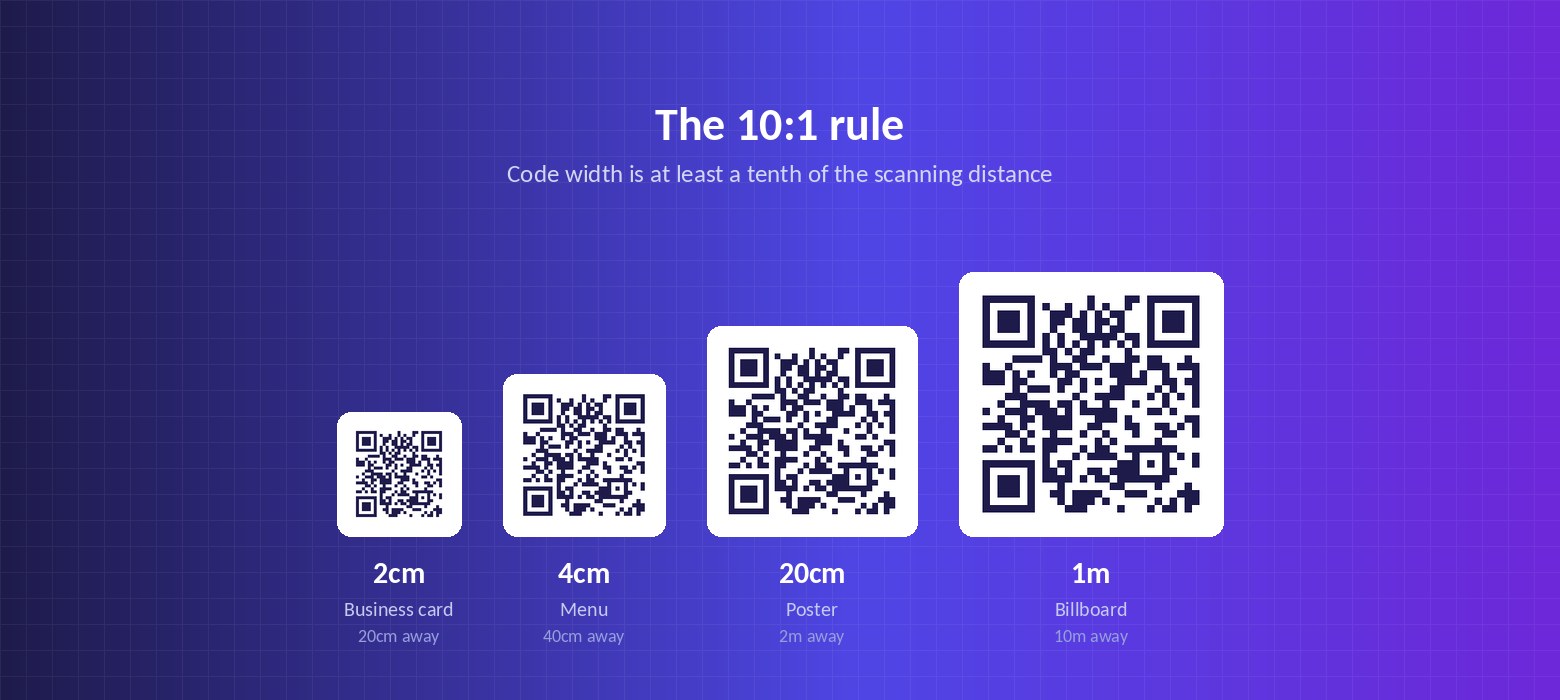
The distance-to-size ratio is the only sizing guidance you need to remember. Divide the scanning distance by ten and that is your minimum code width.
It works because a phone camera needs to resolve the individual modules — the small squares that make up the pattern. Further away means each module covers fewer pixels on the sensor, until the camera can no longer tell one from the next. Scaling the code with the distance keeps the modules resolvable.
Treat the result as a floor, not a target. It is the point at which scanning starts to work, not the point at which it works reliably.
Size chart by placement
| Where the code is | Scanned from | Minimum | Recommended |
|---|---|---|---|
| Business card | 15–25cm | 2cm | 2–2.5cm |
| Menu or table tent | 20–40cm | 2–4cm | 3–5cm |
| Product packaging | 20–30cm | 2–3cm | 2.5–4cm |
| Flyer or leaflet | 25–40cm | 2.5–4cm | 3–5cm |
| Shelf talker | 40–50cm | 4–5cm | 5–6cm |
| Poster (indoor) | 1–2m | 10–20cm | 15–25cm |
| Shop window | 1–3m | 10–30cm | 20–35cm |
| Exhibition banner | 2–4m | 20–40cm | 30–50cm |
| Billboard | 5–15m | 50–150cm | 80–180cm |
When to add margin on top
The 10:1 rule assumes good conditions: flat surface, decent light, a code printed cleanly. Real conditions are rarely all three. Increase the size when any of these apply:
- Dim lighting — restaurants, bars, evening events. Add 20–30%.
- Curved surfaces — bottles, cans, tubes. Add around 25%.
- Textured or absorbent stock — uncoated, linen finish, corrugated. Add 25–50%.
- Behind glass — chilled cabinets, display cases, vehicle windows. Add 25%.
- Moving viewers — codes seen from a bus or a passing car need to be far larger than the distance alone suggests.
- Older phones in your audience — lower-resolution cameras need more module area.
The quiet zone people forget
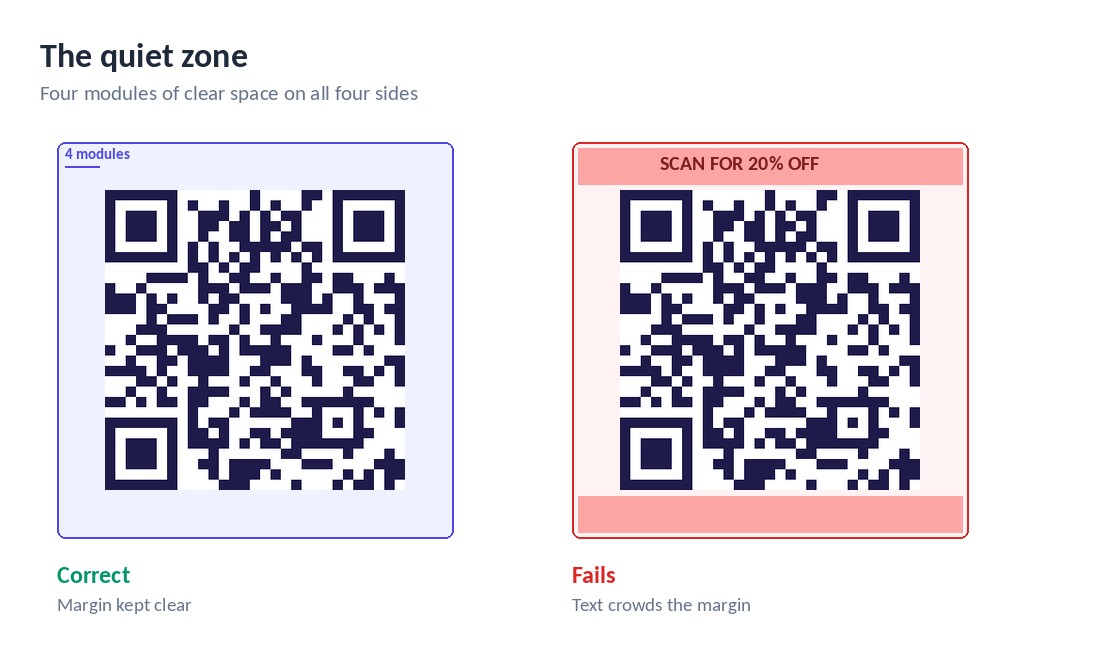
A QR code needs a clear margin around it, called the quiet zone. The specification calls for at least four modules wide, which in practice means roughly 8–10mm on a code printed at table size.
Crowding that margin with a border, a caption or a background pattern is one of the most common reasons a correctly-sized code refuses to scan. The scanner uses the contrast between the quiet zone and the pattern to find the code in the first place, so removing it can stop the code being detected at all — not just misread.
Shorter URLs mean smaller codes
Size is not only about distance. The more data encoded, the more modules the pattern needs, and the larger it has to be printed for those modules to stay resolvable.
A code carrying a 100-character URL is visibly denser than one carrying 25 characters, and needs more physical space to work at the same distance. This is a practical argument for dynamic codes on anything printed small: because they encode a short redirect rather than the full destination, they stay sparse regardless of where they ultimately point.
Test before the print run
Print the proof at final size and test it where it will actually be used, under that room's lighting, from the position a real person will stand or sit in.
Use several phones including an older handset. If any of them hesitate, increase the size. The cost of a slightly larger code is a few millimetres of layout; the cost of a code that does not scan is the entire print run.
Create a QR code free
Dynamic codes you can edit after printing, with scan tracking. No card needed.
Open the generator